My Blog
Shopify Theme Layout: 5 Game-Changing Design Tricks for Your Online Store in 2025
Setting up an online store on Shopify can feel overwhelming. This is especially true when you’re trying to make your shop stand out from the competition. The layout of your Shopify theme is like the blueprint of your digital storefront. It determines how customers experience your…
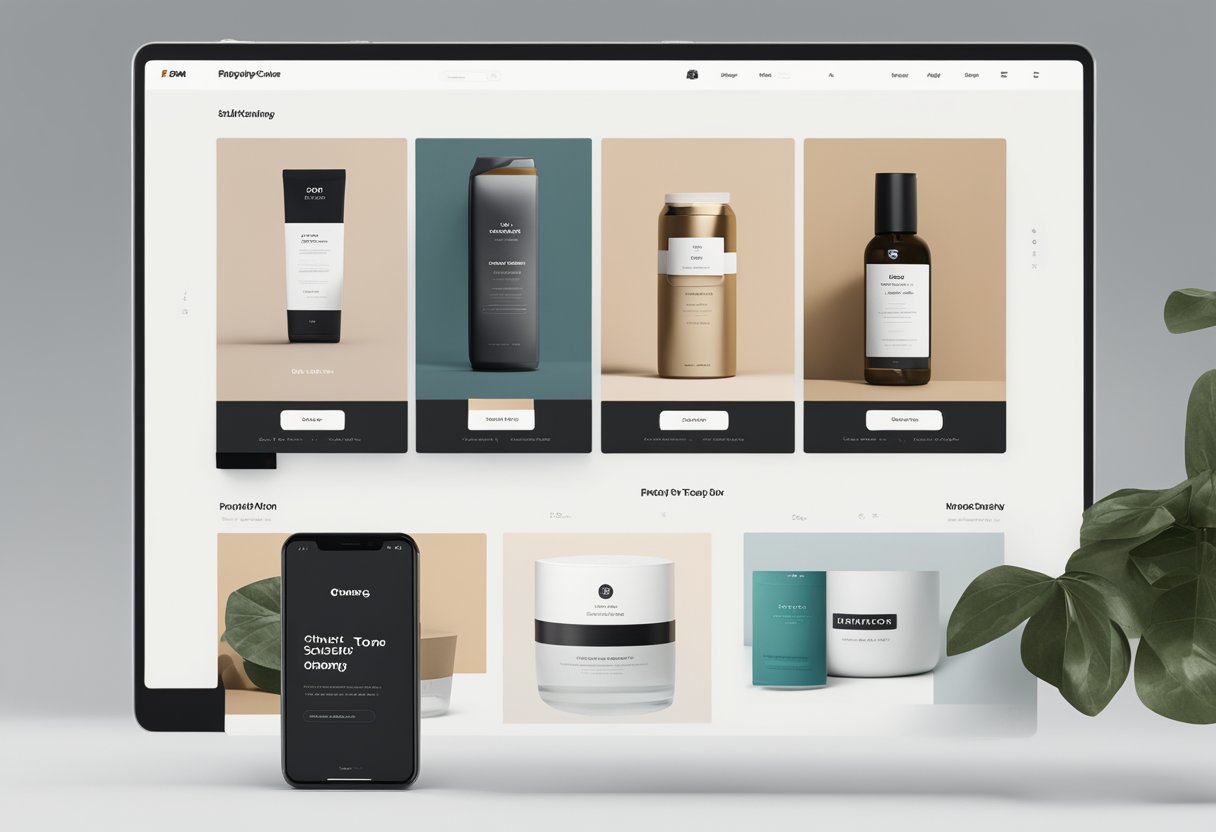
Setting up an online store on Shopify can feel overwhelming. This is especially true when you’re trying to make your shop stand out from the competition. The layout of your Shopify theme is like the blueprint of your digital storefront. It determines how customers experience your brand online. A well-designed Shopify theme layout combines sections, blocks, and templates to create a cohesive shopping experience that guides visitors toward making purchases.
Ever notice how some online stores just feel right when you browse them? That’s no accident! Shopify’s theme architecture allows store owners to customize their layouts without needing to code. We love how these layouts work as reusable frameworks. You can plug in different content while maintaining a consistent look across your entire store. Your product pages, blog posts, and homepage can all share the same navigation and footer while displaying unique content.
Let’s dive deeper into how Shopify theme layouts work and how you can use them to create an online store that not only looks amazing but also drives sales and keeps customers coming back for more…
Mastering Shopify Theme Layouts
Shopify themes are the backbone of your online store’s appearance and functionality. Getting comfortable with layouts will help you create a shopping experience that reflects your brand and keeps customers coming back.
Understanding the Basics of Shopify Theme Structure
Shopify themes are built with several key components that work together to create your store. Let’s break them down:
- Templates: These define the structure for different page types (product pages, collection pages, etc.)
- Sections: Modular, customizable content blocks you can add, remove, or rearrange
- Snippets: Reusable code pieces that can be included across multiple pages
- Assets: Your theme’s CSS, JavaScript, images, and fonts
Think of your theme like a house – templates are the blueprint, sections are the rooms, snippets are the furniture you can move around, and assets are the paint and decorations.
The Liquid template language powers all of this, letting content from your store database appear where you want it. We’ve found that understanding this structure helps store owners make more confident customization decisions.
Sculpting Your Store’s Aesthetic with Customizable Themes
The Theme Editor is your best friend for customization without coding. Here’s what you can adjust:
- Typography: Font styles, sizes, and weights that match your brand
- Color schemes: Create the perfect palette for your store’s vibe
- Background elements: Images, colors, and patterns that set the mood
- Content sections: Hero images, product features, testimonials, etc.
Most modern Shopify themes are responsive by default. This means they look great on both desktop and mobile devices. This is super important since more than half of online shopping happens on phones now!
We love how you can save multiple theme styles to test different looks before going live. It’s like trying on outfits before a big date – you want to make sure everything’s perfect.
Enhancing Usability through Navigation and Layouts
Navigation can make or break your customer experience. Great navigation helps shoppers find what they’re looking for quickly.
Consider these navigation elements:
- Mega menus: Expanded dropdown menus that show multiple categories at once
- Sticky headers: Navigation bars that stay visible as users scroll
- Ajax cart: Updates the cart without reloading the page
- Mobile-friendly menus: Collapsible navigation for smaller screens
The layout of key pages deserves special attention. Your home page should showcase your best products, while collection pages need clear filtering options. Product pages must have prominent images, detailed descriptions, and easy “Add to Cart” buttons.
Remember that checkout pages are where sales happen! We always recommend keeping these pages clean and distraction-free to reduce abandonment rates. A good layout guides your customers naturally from browsing to buying without confusion.
Optimizing Performance and Conversion

A fast, user-friendly Shopify theme isn’t just nice to have—it’s essential for keeping customers happy and boosting sales. Let’s explore how to make your store faster and more effective at turning visitors into buyers.
Engineering a Smooth Shopping Cart Experience
Your shopping cart can make or break a sale. We’ve found that customers bail when carts are confusing or slow.
Start by implementing Ajax cart functionality. This tech allows shoppers to add items without reloading the page—a huge time-saver! Here’s what else works:
- Keep the cart visible or easily accessible on all pages
- Show clear shipping costs and delivery estimates upfront
- Include thumbnail images of items in the cart
- Add a progress bar toward free shipping thresholds
Multi-currency support is also crucial for international customers. Nobody wants to pull out a calculator while shopping!
Testing cart speed on mobile devices is non-negotiable since most shoppers browse on phones. Each extra second of load time increases abandonment rates by about 7%.
Try offering one-click upsells right in the cart. We’ve seen conversion boosts of 10-15% from this simple addition.
Crafting the Perfect Product Pages
Product pages do the heavy lifting in your Shopify store. They need to showcase items beautifully while loading lightning-fast.
Image optimization is key:
- Compress all product images (aim for <200KB each)
- Use responsive images that adapt to screen sizes
- Implement lazy loading so images load only when needed
Product filters help customers find exactly what they want. Make them intuitive and fast-responding.
Include social proof like reviews prominently—92% of shoppers read reviews before purchasing. Don’t hide them behind tabs or links!
Videos boost conversions dramatically, but they need to be optimized. Host them on platforms like YouTube or Vimeo rather than directly on your site.
The buy button should stand out visually and appear above the fold on all devices. Test different colors and text to see what converts best.
Raising Your SEO and Accessibility Standards
An SEO-friendly Shopify theme brings in organic traffic and makes your store more discoverable. But accessibility ensures everyone can shop with ease.
Structure your theme with proper HTML5 semantic elements. This helps search engines understand your content better and improves accessibility.
Use alt text for all images—this helps both SEO and screen reader users. Be descriptive but concise.
Page speed is a ranking factor for Google, so optimize:
- Minimize CSS and JavaScript files
- Reduce third-party apps that slow loading
- Use a content delivery network (CDN)
Make sure your theme uses proper heading hierarchy (H1, H2, H3) for both SEO and accessibility. Each page should have only one H1 tag.
Color contrast matters! Low-contrast text is hard to read for many people. Use tools to check that your text stands out from backgrounds.
Providing Stellar Customer Support Touchpoints
Even the best-designed stores need excellent support options. Build these directly into your theme for happier customers.
Create a comprehensive FAQ page that answers common questions. Organize it by topics with a search function for quick answers.
Your contact page should offer multiple ways to reach you:
- Live chat (if possible)
- Email form with expected response time
- Phone number (if available)
- Social media links
A store locator with Google Maps integration helps customers find your physical locations if you have them.
Newsletter popups can be effective but time them right! Waiting until a visitor has browsed for 30+ seconds increases signup rates.
Footer widgets should include important links like shipping policies, returns, and about us information. Don’t make customers hunt for these details.
Consider adding a floating help button that follows users as they scroll. This makes support accessible throughout their shopping journey.


